Mastodon

oooops.dev

DevOps is hard

SSH Authentication methods — January 31, 2021

SSH Authentication methods

There are two ways of authenticating to a server with SSH: user/password based authentication (which is now by many considered outdated and insecure) and key pair based authentication. Let’s start from the legacy one and build up to the modern way of doing things:

Username and Password Based Authentication
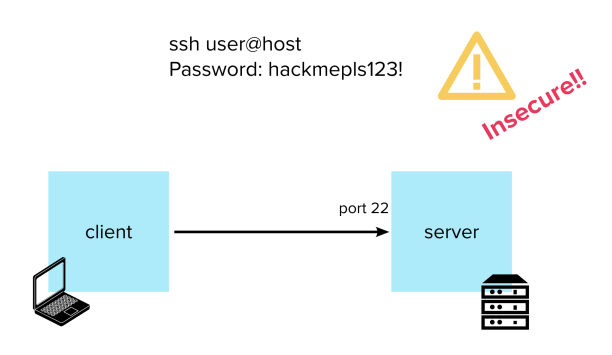
In this version, all you will need to to connect to your server is to run

Continue reading
[Series] SSH for Developers – Beyond the Basics — January 25, 2021

[Series] SSH for Developers – Beyond the Basics

I have written this guide for developers who might be superficially familiar with the basics of SSH – maybe even fiddled with a file or two without really knowing what’s going on – and would like a more cohesive overview of its most powerful features.

This is essentially an organised collection of the main gotchas and topics that gave me (a dev, not a sysadmin) the most dexterity in jumping about from machine to machine in the cloud.
It is meant to be read in succession as each topic builds on the previous, but I also tried to keep them loosely coupled in case the reader is only interested in a particular section.

Have fun.

Table of Contents:

  1. Authentication
  2. Known Hosts
  3. SSH Agent
  4. Config
  5. Jumping Hosts
  6. Tunnelling and Port Forwarding
  7. X11 Forwarding
  8. Multiplexing and Master Mode

Disclaimer: This does not mean to be a complete list of all that is possible with SSH. That would probably take a book. Or two. But any feedback about additions is welcome.

First, a refresher. What is SSH?

SSH is a protocol built on top of TCP that is intended to provide a secure channel for a client and a server to communicate. In its implementation, it consists of two programs:

Continue reading
File Limits and how the “Too many open files” error can pop up unexpectedly — January 17, 2021

File Limits and how the “Too many open files” error can pop up unexpectedly

I have recently come across a nasty Too many open files error, and noticed the information on the internet about what that might mean or how to solve it doesn’t always paint a clear picture.

Here I try to put together a more complete guide by gathering all the resources I found as I was dealing with the issue myself.

What are file limits and file descriptors?

In Unix-like systems, each process is associated with sets of usage limits, which specify the amount of system
resources they can use. One of those is the limit of open file descriptors (RLIMIT_NOFILE).

But what is a file descriptor?

Continue reading
One line Bash HTTP Server — January 16, 2021

One line Bash HTTP Server

Here is a quick snippet I use all the time when I want to set up an HTTP server on the fly, without leaving the comfort of my terminal.

This is the command:

$ while true; do { echo -e 'HTTP/1.1 200 OK\r\n'; echo "Hello World"} | nc -l 3000; done

Warning: this will block your current terminal.

You will see the following output as you receive requests:

GET / HTTP/1.1
Host: localhost:3000
User-Agent: curl/7.54.0
Accept: */*

If you want your terminal back, or for any other reason want to put the command in the background while it is running, simply press ctrl+z.

When you are done and want to kill the background process, you can do so with

$ kill %1
Super Quick Node.js HTTP Server —
[Meta] Hello World —

[Meta] Hello World

Hi everyone, just set up this blog.

It’s going to be a bit of a mix of new things I learn, handy code snippets, and obscure issues I find in my day to day work. Basically a dumpster replacement for my personal notes. But with any luck some of it might be useful to someone.

Hopefully I’ll find the willpower to keep it up to date and even make the content pretty someday.

Cheers!


Btw, here are some examples of the formatting I will use:

Proper code snippet with syntax highlighting:

public Miao myFunction(Bau bau) {
   return new Miao("Hello I am some Java code");
}

A generic one-line snippet

$ command --a-flag="value" -h arg